Indoor cycling apps can turn a stationary ride into a virtual route, a filmed road or a structured workout. The confusing part is that different trainers send different information. This guide explains the equipment and connection terms first, then takes you through a short first ride without assuming you own a smart trainer.
What kind of setup do you have?
A wheel-on trainer supports the bike with its rear tyre against a roller. A direct-drive trainer replaces the rear wheel. Smart describes communication and control features, so it is a separate question from how the bike attaches. An ordinary exercise bike may not send compatible data at all.
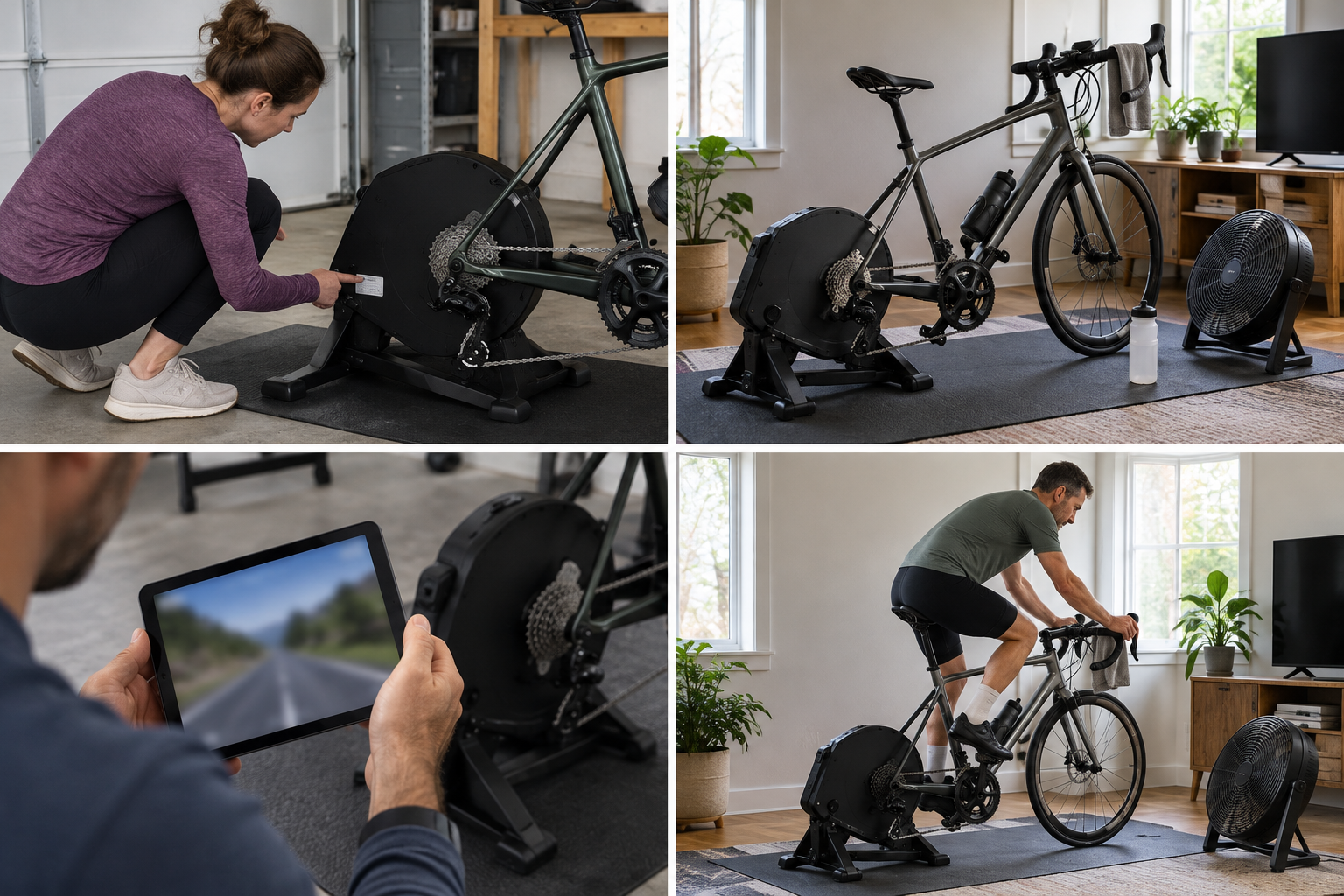
Find the exact model label and list any separate sensors. Compare those names with the app’s supported equipment before subscribing. Some supported basic setups use virtual power (an estimate of effort from speed and trainer settings); that is different from measured power.
Make the space comfortable before choosing a hard session
Fit the bicycle using the correct axle or wheel instructions and place the setup on a stable surface. Resolve rocking or an incorrect adapter before pedalling. Put the screen where you can see it without twisting and keep it clear of moving parts.
A fan, drink and towel make an ordinary session more pleasant. Check that pedals and bars have room and that a cable cannot be caught. For a first attempt, choose an easy short ride so you can concentrate on the setup rather than completing a workout.
Understand the pairing screen
Power is your effort, normally displayed in watts. Cadence is your pedal rate, normally in revolutions per minute. Controllable resistance lets the app change the trainer’s resistance. One trainer may provide several of these roles, but a speed sensor cannot give a basic trainer automatic resistance control.
Wake the equipment as instructed and select the supported source for each role inside the chosen app. If a device is missing, check whether another app is already using it and whether the model permits simultaneous connections. Avoid changing every setting at once: first identify which reading or function is absent.
Use a short ride to check the whole process
Pedal gently for around ten minutes. Check that the expected readings respond, try resistance changes only if your setup supports them, then end the ride and find the saved activity. Follow the maker’s calibration procedure where required.
If the ride saves but cadence is missing, investigate the cadence source rather than treating the entire session as a failure. For virtual power, keep the specified tyre pressure and roller settings repeatable. Once the connection is dependable, compare the app experiences described below and choose the one you will enjoy returning to.
Choose the experience you want
Choose the kind of session first. Social virtual riding represents you in an on-screen environment; structured workouts prescribe periods of effort and recovery; scenic riding uses routes or scenery to accompany the session. Simple indoor exercise may not need an app or extra sensors at all.
Then check whether the app accepts your setup’s power input and supports the device on which you will use it. If automatic resistance matters to you, confirm support for that exact trainer. Bluetooth and ANT+ are connection systems used to exchange data; seeing a Bluetooth logo does not establish that every app function will work.
Use a trial to complete the kind of session you intend to repeat. Check current prices, text size, saved activity information and reconnection before subscribing. If measured comparisons matter, consider compatible measured-power equipment and its calibration procedure (the maker’s checks or adjustments for reliable readings).
Join the discussion
What has worked for you? Share your experience or ask a question about this article.
Sign in with GitHub to comment. Your comment and GitHub profile name will be public. Comments appear when posted and may be moderated afterwards.
Keep replies relevant and respectful. No spam, personal information or unsupported accusations. Discussion and privacy information.